Sell by voucher
Who this is for — you sell access for cash — at a counter, a shop, or through agents — and want codes a customer can type in to get online.
A voucher is a plan turned into a prepaid code. Print a batch, sell the codes for cash, and the buyer types theirs on your WiFi page — no account, no app, no payment gateway needed. Many operators run their whole hotspot business this way.
Generate a batch
- Open Vouchers and click + New Batch
- Pick the Plan and type How many?
The quantity is never pre-filled — each code is worth money the moment it's printed, so you type the number deliberately. Big batches ask you to confirm the amount.
- Name the batch (optional, worth it)
Batch name — like "Counter stock — Jan" or the shop you're supplying — makes it easy to hand a whole batch to a dealer later.
- Choose Code length and Format
8 digits (recommended) and Numbers only (easiest to type) suit most operators. AccessCore refuses combinations short enough for someone to guess a working code.
- Click Generate
 You type the number
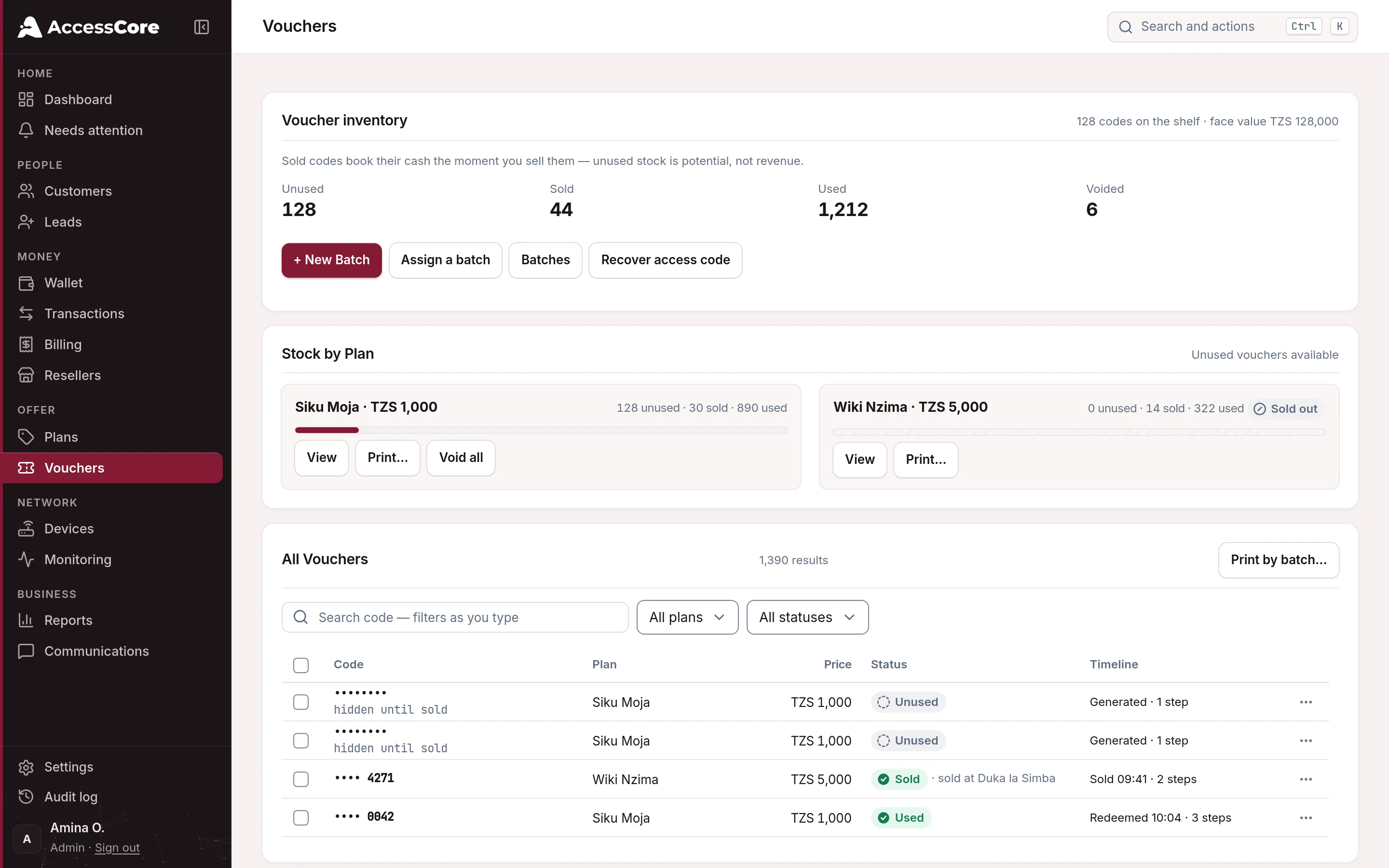
Codes stay hidden until sold. On screen, unsold codes show as dots — so nobody in the office can quietly copy a working code. Selling or printing reveals them, and every reveal is recorded in your audit log.
Get the codes to buyers — three ways
- Print them
From Vouchers, use Print on a plan or batch. The print sheet lets you set cards per row, add your logo, and add a scan-to-connect QR — buyers scan it and land on your WiFi page with the code already filled in. Each card carries the steps: "1. Connect to WiFi 2. Enter this code 3. Enjoy!"
- Sell one at the counter
Click Sell on any unused voucher. Enter the Customer phone and the code is texted to them; or untick SMS to just mark a printed card as sold. The code is only revealed at the moment of sale.
- Hand a batch to a dealer or agent
Use Assign a batch →: pick the batch, name the dealer, choose Retail (plan price) or a wholesale Custom per voucher price, and click Book batch as sold. The cash is booked now and counted as earned as the codes get redeemed.
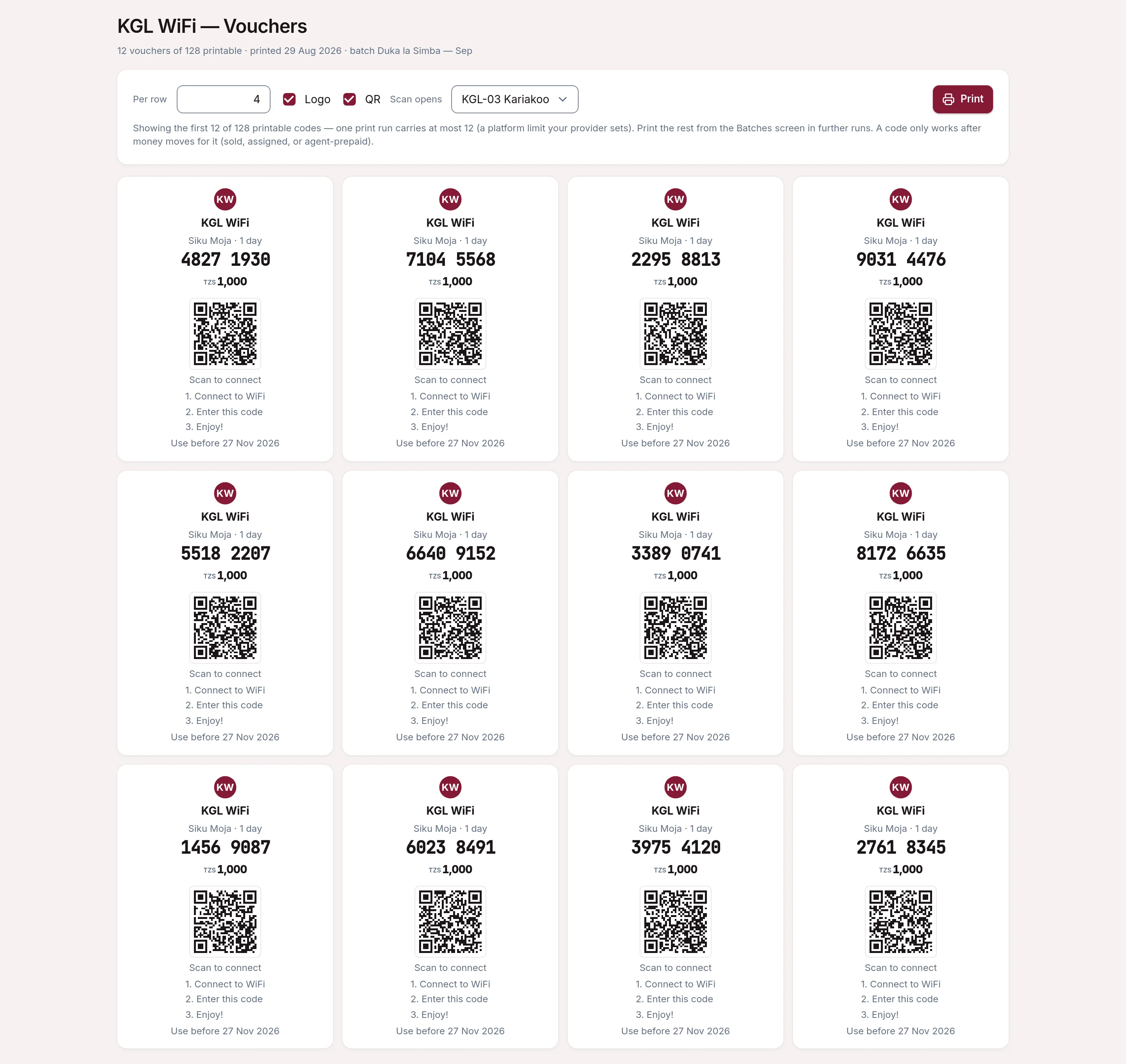
How the customer gets online
They connect to your WiFi, your page opens by itself, and they type the code under Use a voucher and tap Submit. That's the whole thing. They're then given a access code, so if they switch phones or get disconnected, Reconnect picks up their remaining time.
 Access code
Roaming between routers & moving devices
A code works on every router in your business, and the remaining time follows the customer. Walk from the bar to the terrace onto a different router, re-enter the code (or just reconnect — same device auto-continues), and the session moves. Entering the code on a new phone moves the plan there too: if it's still active on the old device, the customer is asked first — "This code is active on another device. Move it to this one?" — one tap, and the old device is disconnected. That's deliberate: the code is the customer's recovery path, so it is never locked to the first device that used it.
One WiFi name, or no roaming. Phones treat every WiFi name (SSID) as a separate network and present a different address on each — that's built into iOS and Android, not something any billing system can undo. If your routers broadcast Venue-1, Venue-2, Venue-3, customers will be asked to sign in again at each one. Give every router the same SSID and roaming — both automatic reconnect and code re-entry — works as described.
Optional — automatic reconnect (MAC roaming). In Settings → Network defaults you can switch on device recognition: a phone that signed in once reconnects on any of your routers without seeing the login page, which is what customers of most local providers are used to. It's off by default because it carries a trade: the device is recognised by its WiFi address, which a determined person nearby can copy to use that code's remaining time. Fine for cafés, bars and events; think twice where codes carry large bundles. And whatever you choose, some modern phones randomise their address per network and will still see the login page — that's the phone, not a fault. Worried about serial code-sharing on monthly plans? AccessCore counts device moves per code and emails you when one moves unusually often, and you can cap moves per day — your call, nothing is blocked silently.
Running voucher-only (no payment gateway)
Entirely supported. In Settings → Branding, set "Buy a plan" on the portal to Always hide — sell by voucher only and your WiFi page becomes voucher-first: customers see the code box front and center, with no online-payment option to confuse anyone. Add a gateway whenever you're ready and flip it back to Automatic.
Made a mistake, or stock walked away? Void kills an unsold code (a sold one reverses its booked cash automatically). Revoke access goes further: it cuts off a code that's already in use. The credentials are destroyed on the spot, so the code can never authenticate again, and AccessCore also asks the router to drop the live session — usually the device is offline within seconds. If that disconnect doesn't get through, the session runs until the device next re-authenticates, which it then fails. Both keep the records.
What success looks like
- Your batch shows under Vouchers with the right count in Unused.
- A printed sheet (or a texted code) is in a buyer's hands.
- The first redeemed code flips to Used — and if it was your test, that's your first sale checked off the setup guide.
Write to [email protected] — a person reads every message.